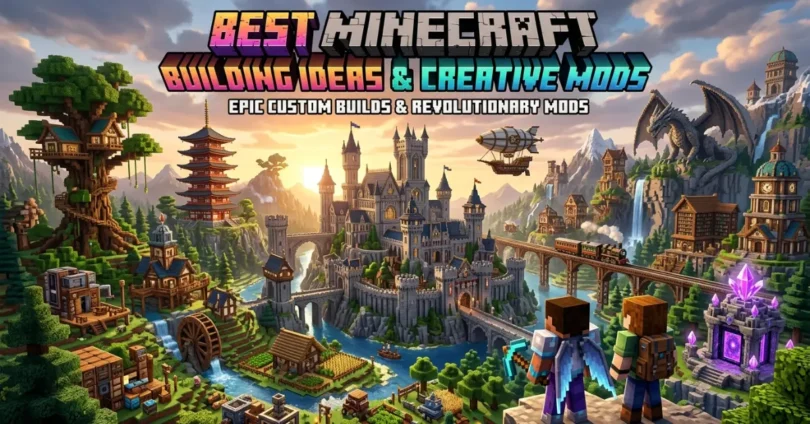
Minecraft is more than just a game because it gives players the freedom to create anything they imagine. From simple survival houses to giant castles and futuristic cities, players love exploring new ways to build amazing worlds. In this guide about “Best Minecraft Building Ideas and Creative Mods,” you will discover creative building designs, useful tips, and powerful mods that can completely improve your gameplay experience. Whether you are a beginner or an experienced builder, these ideas and mods will help you make your Minecraft world more fun, beautiful, and exciting.
Why Minecraft Building Is So Popular
Minecraft Building is popular because players can create anything without limits. The game allows people to use their imagination freely. Every player has a different style, and that makes every Minecraft world unique.
- Creative Freedom: Players can build houses, castles, cities, farms, and anything they dream about.
- Relaxing Gameplay: Building in Minecraft feels peaceful and enjoyable for many players.
- Multiplayer Fun: Friends can work together on large projects and create massive worlds.
- Endless Possibilities: New updates and mods keep adding more features to the game.
- Skill Improvement: Players learn planning, creativity, and design skills while building.
Minecraft is not only about survival and fighting mobs. For many people, building is the most exciting part of the game.
Things You Need Before Starting a Minecraft Build
Before starting a big project, it is important to prepare properly. Good planning makes building easier and saves time.
- Survival Mode: Players collect materials themselves and survive against enemies.
- Creative Mode: Players get unlimited blocks and can focus only on building.
Beginners usually prefer Creative Mode because it allows faster building without danger.
Pick a Good Location
The place where you build is very important.
Best Locations for Building:
- Flat plains
- Mountain areas
- Near rivers or oceans
- Forest biomes
- Snowy regions
A good location makes the build look more beautiful and realistic.
Collect Building Materials
Different builds need different blocks.
Popular Building Blocks:
- Wood
- Stone bricks
- Glass
- Concrete
- Quartz
- Terracotta
Using mixed blocks can make builds look more detailed.
Plan the Design
Many players start building without planning and later become confused.
Easy Planning Tips:
- Decide the size first
- Choose a color theme
- Create a simple outline
- Think about interior decoration
Planning helps builds look cleaner and more organized.
Best Minecraft Building Ideas for Beginners
New players should start with easy projects before trying giant structures.
Simple Starter House
A starter house is the first thing most players build.
Features of a Good Starter House:
- Small but safe
- Enough storage space
- Bed and crafting area
- Easy to expand later
Wood and stone are perfect for beginner houses.
Treehouse Build
Treehouses are fun and simple to make.
Why Treehouses Are Popular:
- Safe from mobs
- Beautiful natural look
- Easy for beginners
- Great for jungle biomes
Adding lanterns and bridges makes treehouses look even better.
Underground Secret Base
Underground bases are hidden and secure.
Important Parts:
- Hidden entrance
- Storage room
- Furnace area
- Underground farm
Many players enjoy secret redstone entrances for hidden bases.
Small Survival Farm
Food is important in survival mode.
Best Farm Ideas:
- Wheat farm
- Animal farm
- Sugarcane farm
- Carrot and potato farm
Farms help players survive longer and gather resources easily.
Village Upgrade Project
Minecraft villages can look much better after rebuilding them.
Upgrade Ideas:
- Better roads
- Larger houses
- Street lights
- Farms and markets
This is a fun project for beginners.
Advanced Minecraft Building Ideas
Experienced players often build huge and detailed projects.
Modern Mansion
Modern houses are one of the most famous Minecraft builds.
Important Features:
- Large glass windows
- Swimming pool
- Stylish interior
- Modern lighting
- Beautiful garden
Quartz and concrete blocks are perfect for modern designs.
Giant Medieval Castle
Castles are excellent for players who love fantasy themes.
Castle Ideas:
- Giant towers
- Defensive walls
- Throne room
- Secret tunnels
- Large gate entrance
Stone bricks and cobblestone work best for castles.
Futuristic City
Sci-fi cities look incredible in Minecraft.
Popular Features:
- Flying vehicles
- Neon lighting
- Tall skyscrapers
- Advanced technology buildings
Shaders make futuristic cities look more realistic.
Underwater Glass Base
Underwater bases are challenging but beautiful.
Benefits:
- Unique design
- Great ocean views
- Fun survival challenge
Glass blocks are very important for these builds.
Volcano Mountain Base
Some players create giant mountains with hidden bases inside.
Cool Additions:
- Lava waterfalls
- Secret rooms
- Hidden treasure areas
- Underground labs
This type of build looks amazing in survival worlds.
Best Minecraft Building Themes
Choosing a theme helps builds look more organized.
Medieval Theme
This style includes:
- Castles
- Villages
- Towers
- Blacksmith shops
Fantasy Theme
Fantasy builds often include:
- Magic towers
- Giant trees
- Floating islands
- Mythical statues
Japanese Theme
Japanese builds are peaceful and beautiful.
Common Features:
- Wooden houses
- Cherry blossom trees
- Pagodas
- Small bridges
Space and Sci-Fi Theme
Perfect for futuristic players.
Popular Builds:
- Space stations
- Alien planets
- Robot factories
- High-tech labs
Nature Theme
Nature builds focus on natural beauty.
Great Ideas:
- Jungle villages
- Mountain cabins
- Waterfalls
- Large gardens
Best Creative Mods for Minecraft
Mods improve the building experience and add many new features.
WorldEdit Mod
WorldEdit is one of the best building mods ever created.
Main Features:
- Copy and paste structures
- Build faster
- Replace blocks quickly
- Large-scale editing tools
This mod saves a lot of time.
Chisels and Bits Mod
This mod allows detailed block editing.
Benefits:
- Smaller block designs
- Better decoration
- Detailed furniture creation
Perfect for advanced builders.
Create Mod
Create Mod adds mechanical systems and moving machines.
Cool Features:
- Rotating machines
- Automatic farms
- Mechanical doors
- Conveyor systems
Furniture Mods
Furniture mods add realistic furniture.
Common Items:
- Sofas
- Tables
- TVs
- Kitchen items
- Beds
These mods improve house interiors.
Biomes O’ Plenty
This mod adds many new biomes.
Added Features:
- New trees
- Beautiful landscapes
- More building locations
OptiFine
OptiFine improves graphics and performance.
Advantages:
- Better FPS
- Shader support
- Improved lighting
Almost every Minecraft player uses this mod.
How to Install Minecraft Mods
Installing mods is simple if done correctly.
1: Download Minecraft Forge or Fabric
These programs help Minecraft run mods.
2: Find Safe Mod Websites
Always use trusted websites.
Safe Sources:
- CurseForge
- Modrinth
Avoid suspicious websites.
3: Download the Mod File
Most mods come in “.jar” format.
4: Move Files to the Mods Folder
Place downloaded mods inside the Minecraft mods folder.
5: Start the Game
Launch Minecraft using Forge or Fabric.
If everything is correct, the mods will work properly.
Best Texture Packs and Shaders
Texture packs and shaders improve visuals.
Realistic Texture Packs
These packs make Minecraft look more realistic.
Improvements:
- Better wood textures
- Realistic water
- HD blocks
Cartoon Texture Packs
These packs make the game colorful and fun.
Perfect for younger players.
Best Shaders
Shaders improve lighting and shadows.
Popular Shader Features:
- Realistic sunlight
- Water reflections
- Moving shadows
- Better skies
Shaders make screenshots look incredible.
Minecraft Building Tips for Better Designs
Good builders use smart techniques.
Use Multiple Block Types
Using only one block looks boring.
Example:
- Mix wood, stone, and glass together.
Add Depth to Walls
Flat walls do not look realistic.
Easy Solution:
- Use stairs, slabs, and fences for detail.
Use Good Lighting
Lighting improves both beauty and safety.
Best Lighting Options:
- Lanterns
- Glowstone
- Sea lanterns
- Redstone lamps
Decorate Interiors
Many players forget interior decoration.
Interior Ideas:
- Furniture
- Paintings
- Bookshelves
- Carpets
- Plants
Practice Regularly
The more you build, the better your skills become.
Common Minecraft Building Mistakes
Many players repeat the same mistakes.
Building Too Large Too Early
Huge builds can become difficult to finish.
Start small first.
Ignoring the Environment
A build should match the surrounding biome.
Poor Color Choices
Too many random colors look messy.
Choose a simple color theme.
Lack of Detail
Simple boxes do not look attractive.
Add shape and texture.
Forgetting Functionality
A beautiful build should also be useful.
How Minecraft YouTubers Create Amazing Builds
Many players get inspiration from YouTubers.
- Planning First: Most creators design projects before starting.
- Using Creative Mode: Helps builders work faster.
- Editing Videos: Makes builds look more impressive online.
- Practicing Daily: Experienced builders improve through constant practice.
Watching Minecraft videos can teach useful techniques.
Future of Minecraft Building
Minecraft continues growing every year.
- Better Graphics: More realistic updates may come later.
- Advanced AI Tools: Future tools could help players design faster.
- Bigger Mods: Mods are becoming more advanced every year.
- More Community Creations: Players continue creating amazing worlds online.
Minecraft building will remain popular for many years.
Common FAQs About Best Minecraft Building Ideas and Creative Mods
Some Faqs of Best Minecraft Building Ideas and Creative Mods:
What are the best Minecraft building ideas for beginners?
Starter houses, treehouses, farms, and underground bases are great beginner projects.
Which Minecraft mod is best for building?
WorldEdit is considered one of the best building mods because it saves time and helps with large projects.
Are Minecraft mods free?
Most Minecraft mods are completely free to download and use.
Is Creative Mode better for building?
Yes, Creative Mode gives unlimited blocks and allows faster building without survival problems.
What are shaders in Minecraft?
Shaders improve lighting, shadows, water reflections, and overall graphics quality.
Can mods slow down Minecraft?
Some heavy mods may reduce performance on weaker computers.
What blocks are best for modern houses?
Quartz, concrete, glass, and stone are commonly used for modern designs.
How can I improve my Minecraft building skills?
Practice regularly, watch tutorials, and experiment with different styles and themes.
Conclusion
Minecraft gives players unlimited freedom to build creative worlds and explore amazing ideas. From beginner survival houses to giant castles and futuristic cities, every build reflects the imagination of the player. Creative mods make the experience even more exciting by adding better tools, furniture, machines, and beautiful environments. Texture packs and shaders also help transform simple worlds into realistic masterpieces.
The best way to improve in Minecraft is through practice, patience, and creativity. Start with small projects, learn new techniques, and slowly try more advanced builds over time. Whether you enjoy peaceful farms, giant fantasy castles, or modern luxury mansions, Minecraft always offers something new to create. With the right ideas and creative mods, anyone can turn their Minecraft world into something truly incredible.